Policies
#A backup policy defines a set of backup requirements such as frequency, retention, and storage tier that your sources are measured/checked against. Policies give you a way to verify that your existing backup schedules are meeting the standards you expect, and highlight any sources that are not compliant.
Why you need policies
#Backing up your resources is only half the story. Without a way to verify that those backups meet a defined standard, it is easy to end up in a situation where a critical database is being backed up less frequently than required, or where backups are being kept for too short a period to meet regulatory requirements and you may not know about it until it is too late.
Policies give you a compliance layer on top of your backup schedules. You define what good looks like for a given type of data and environment, scope the policy to the environments and data classes it should apply to, and Plakar Control Plane continuously checks whether matching sources are meeting the requirements. Sources that are not compliant are surfaced so you can act on them.
Because policies use environment and data class scoping rather than targeting individual resources, a single policy can cover hundreds of sources at once. When you add a new source and assign it the right environment and data class, it is automatically picked up by any matching policies.
Creating a policy
#To create a policy you need to provide a name for the policy, then define the backup requirements.
Backup frequency and retention
#You define requirements across six time granularities. You can configure any combination of these:
- Minutely
- Hourly
- Daily
- Weekly
- Monthly
- Yearly
For each granularity you enable, you configure:
- Frequency - how often a backup should be taken within that period, for example every 4 hours or once a day
- Retention - how long should snapshots should be kept
- Storage tier - where the snapshots should be stored: hot, cold, or offline
Hot storage is for frequently accessed backups and offers the fastest restore times. Cold storage is for less frequently accessed backups at lower cost. Offline storage is for long-term retention and regulatory compliance.
Policy summary
#Before creating the policy, Plakar Control Plane shows you a summary of the policy contract based on your selections.
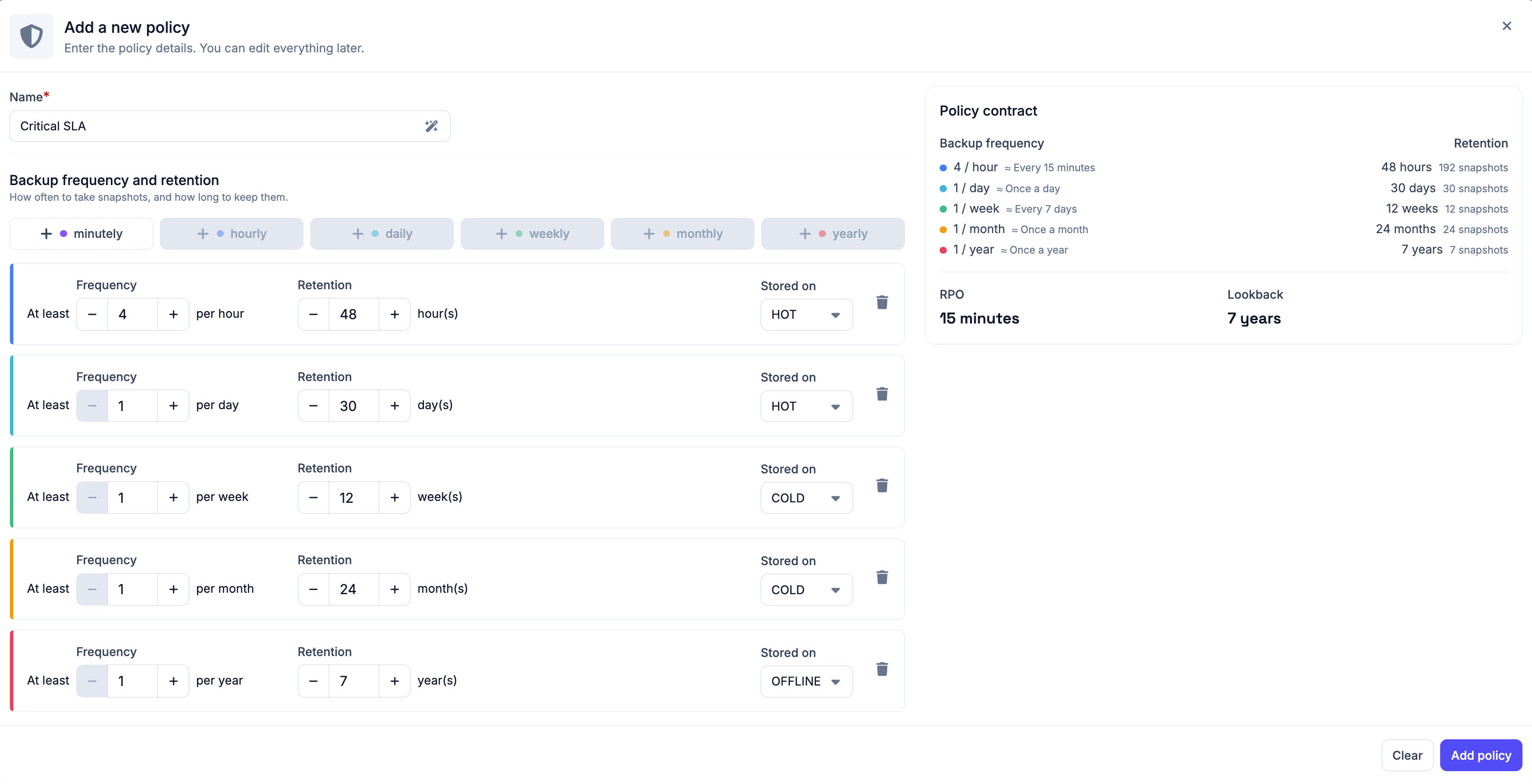
This gives you a clear picture of what the policy will enforce before you apply it. The summary shows you the RPO and lookback derived from your settings. RPO being the maximum data loss window based on your most frequent backup, and lookback being how far back you can restore from based on your retention.
Scoping a policy
#When a new policy is created, it starts as a draft policy by default. A policy becomes active once a scope is assigned to it.
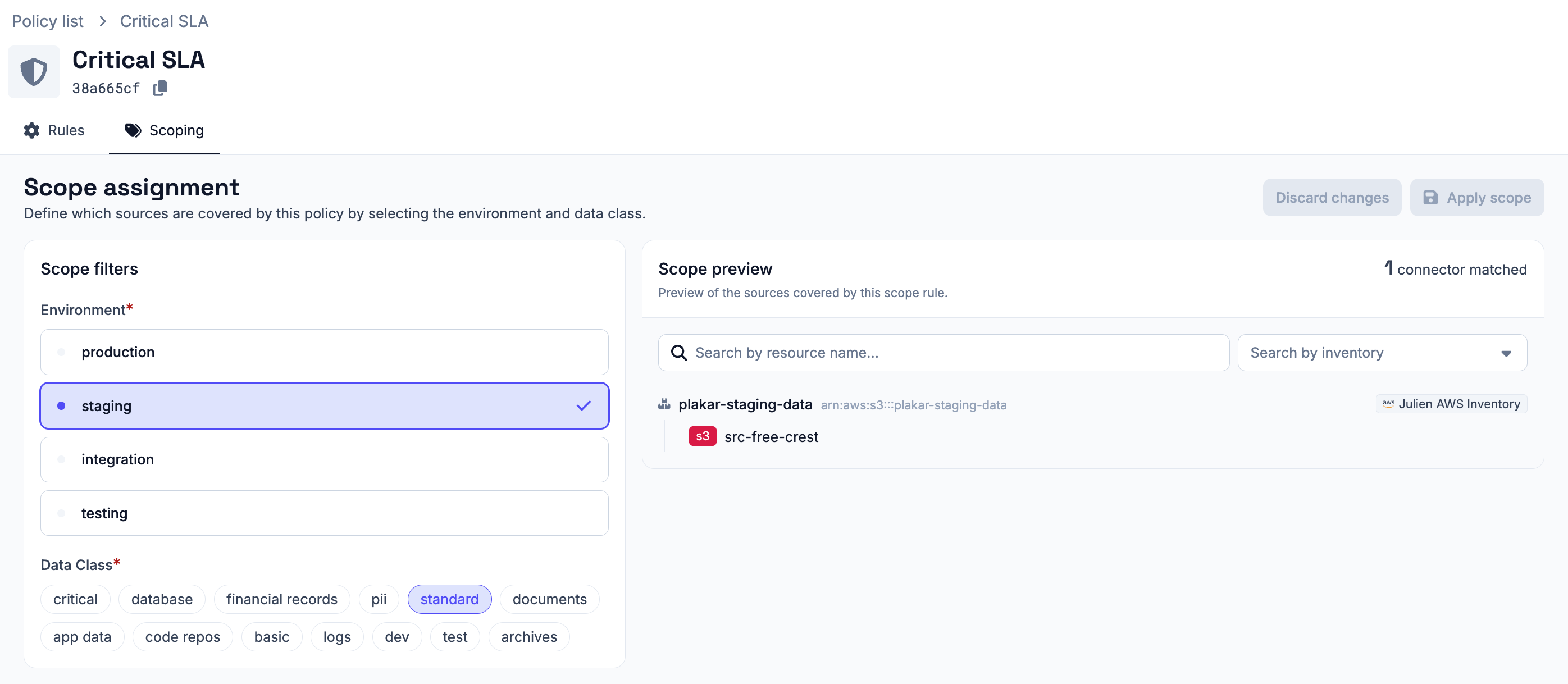
Policies are scoped using environment and data class filters. Plakar Control Plane automatically evaluates all source connectors and matches them against the configured scopes. Any source connector whose configured environment and data class match a policy scope will automatically be evaluated against that policy.
Supported scope filters include:
- Environment - production, staging, integration, or testing
- Data Class - critical, database, financial records, PII, standard, documents, application data, code repositories, basic, logs, development, test, or archives
For example, a policy scoped to production and database will apply to all source connectors configured with those values. When a new source connector is added with matching scope values, it is automatically evaluated against the policy without requiring any additional configuration.
A source connector can be covered by multiple policies if multiple policies have overlapping scopes. This allows policies to be layered. For example, you may have a general policy covering all production sources, and a stricter policy specifically covering production databases.
CURRENT LIMITATIONS
SLA policy scope can currently target only a single data class
Compliance
#Once a policy is active and scoped, Plakar Control Plane continuously checks whether each covered source is meeting the policy requirements. For each source, it evaluates whether backups are being taken at the required frequency, retained for the required period, and stored in the required storage tier.
Sources that are not meeting the requirements are flagged as non-compliant, giving you visibility into gaps in your backup coverage before they become a problem. You can see compliance status per policy and per source from the policies dashboard.

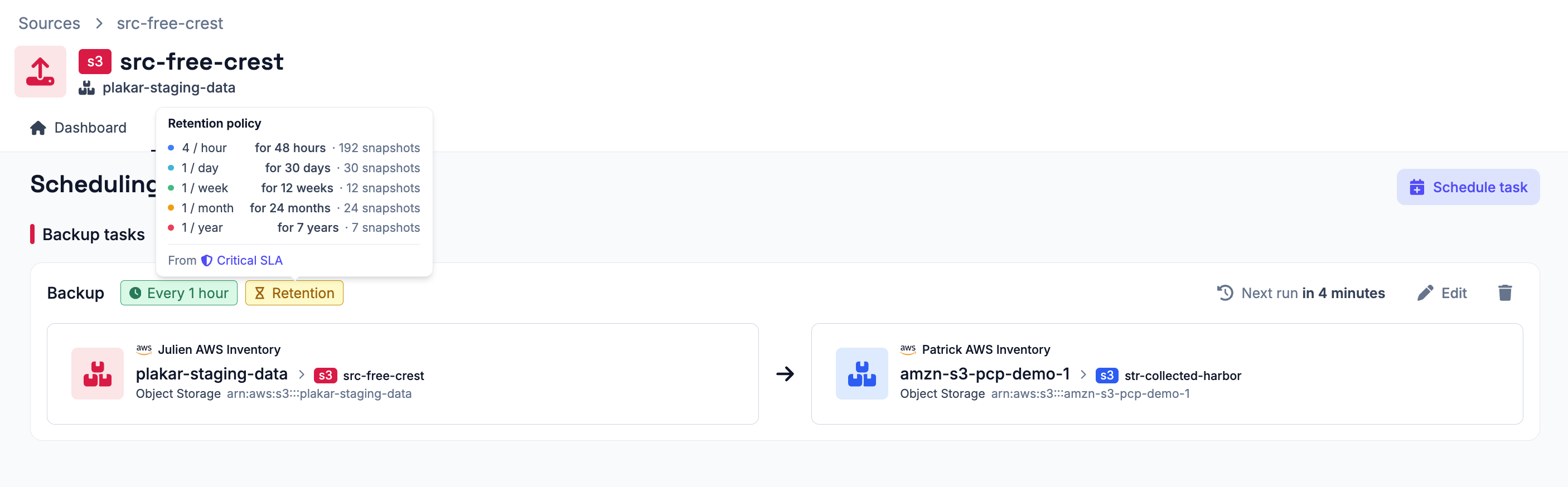
On source connectors, the Scheduling tab displays SLA compliance warnings when the configured schedules do not satisfy the assigned policy requirements.
Non-compliant sources display an orange Retention badge showing that the source is violating its expected retention or backup policy requirements.