AWS Installation
#Plakar Control Plane is distributed as an Amazon Machine Image (AMI) through the AWS Marketplace. You can access the marketplace listing here: Plakar Control Plane
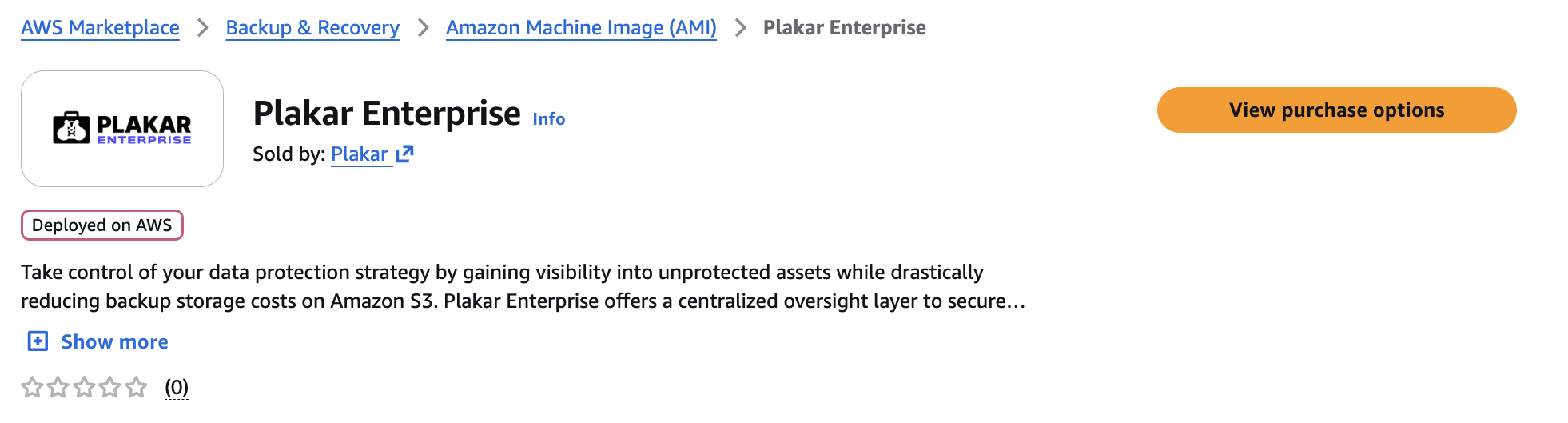
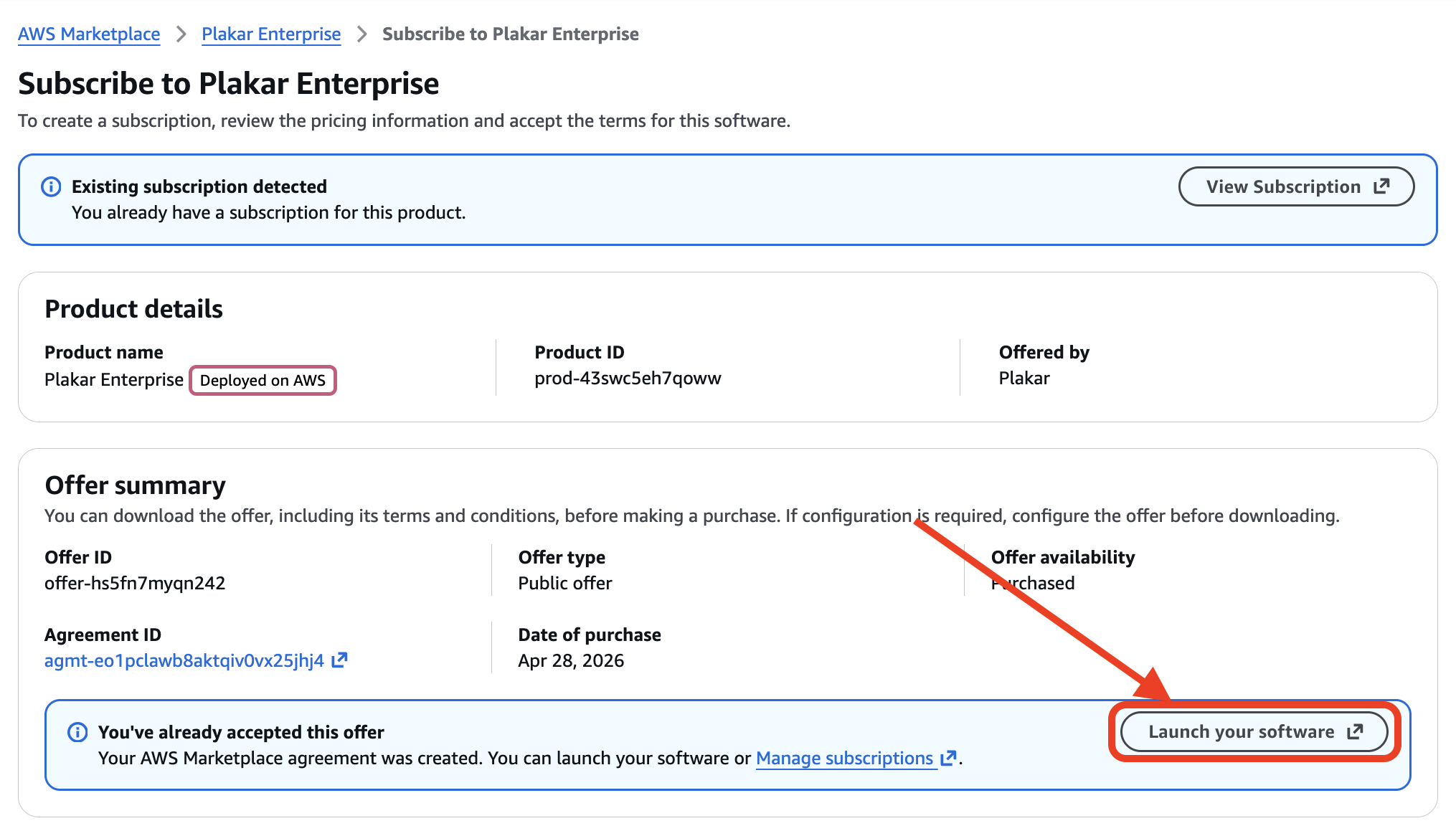
You can subscribe to the AMI by clicking View purchase options and completing the subscription process on the next page. After subscribing, click Launch your software to open the EC2 launch configuration page.
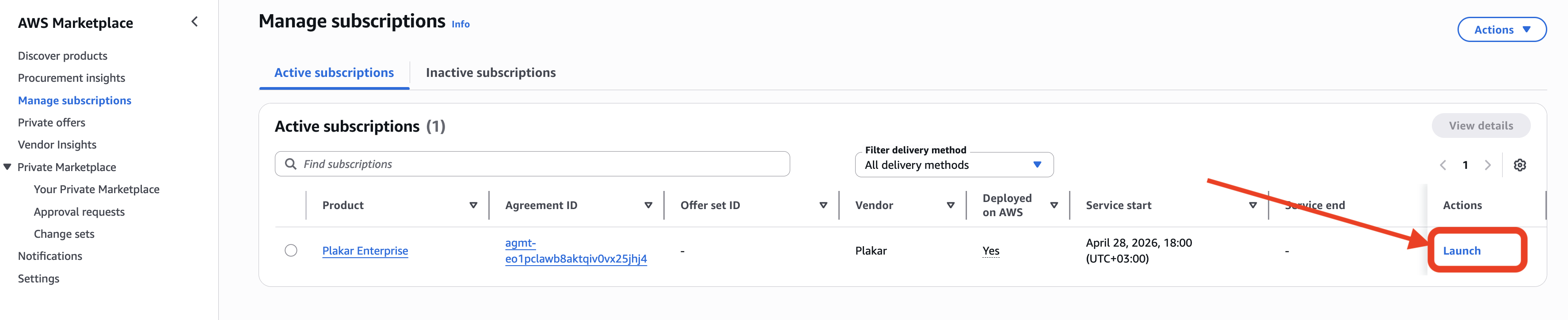
You can also launch the AMI later from the AWS Marketplace subscriptions management page in the AWS Console.
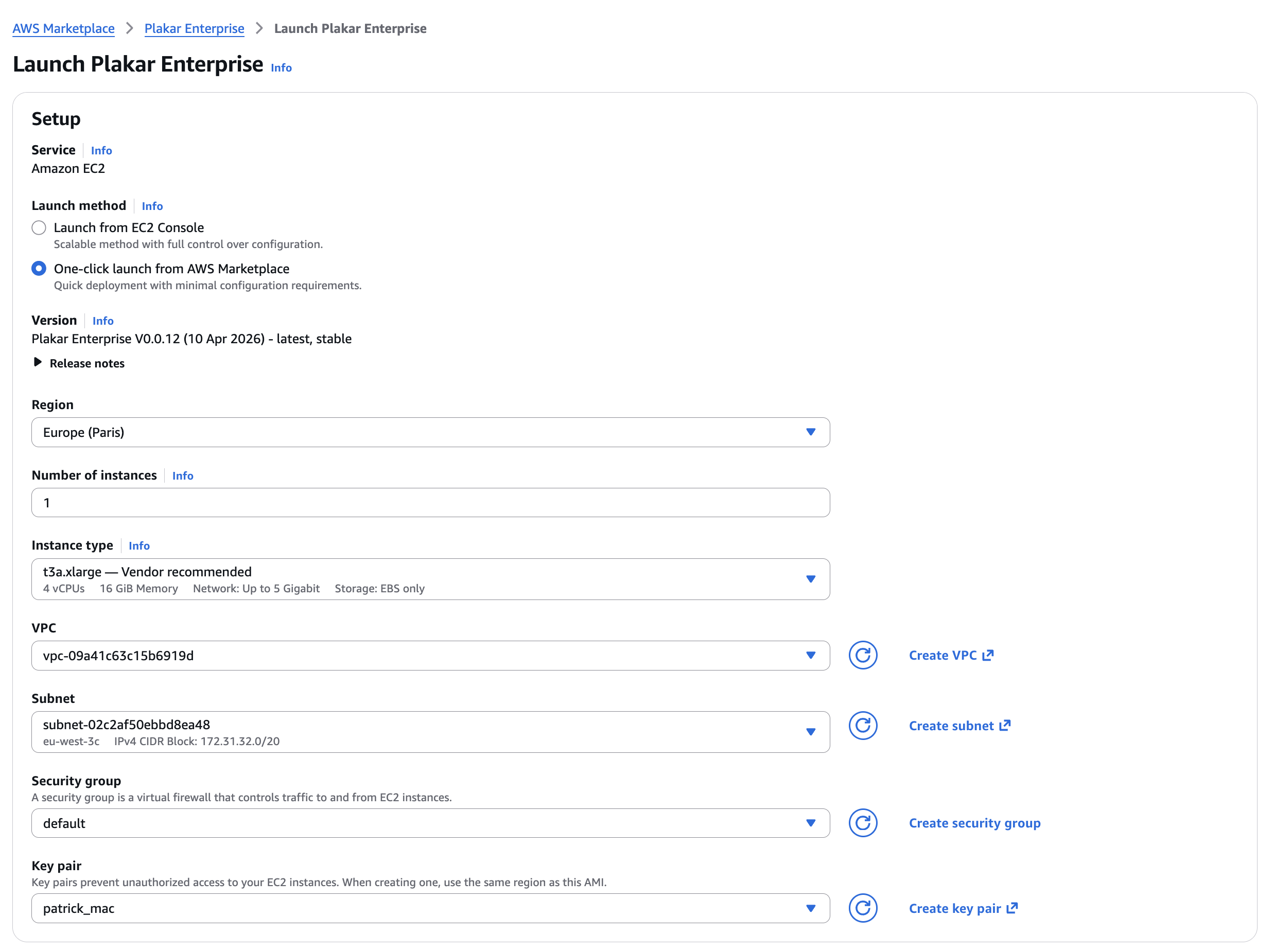
Launching the instance
#From the launch page, under Launch method, select One-click launch from AWS Marketplace, then choose the AWS region for your deployment.
Plakar Control Plane requires the following recommended setup:
- A minimum of 4 vCPUs
- At least 16 GiB RAM
- At least 1 TB of EBS storage
The default marketplace configuration already selects a compatible instance type and storage configuration.
You will also need to configure:
- VPC
- Subnet
- Security Group
- SSH Key Pair
You can read more about security groups in the Security Groups section.
Once configured, click Launch to create the EC2 instance. After the instance has been launched successfully, you can view and manage it from the EC2 Instances page in the AWS Console.
Security Groups
#The networking configuration shown below is intended for a basic deployment setup.
In production environments, networking and access control should be adapted to match your infrastructure and security requirements. For example:
- Exposing Plakar Control Plane through a load balancer with HTTPS/TLS certificates
- Restricting access through a VPN or private network
- Limiting inbound traffic to trusted IP ranges
- Using internal-only networking
By default, the instance will not be accessible from a web browser because the default security group does not allow inbound HTTP traffic. To allow access to the Plakar Control Plane web interface:

- Select the Plakar Control Plane instance
- Open
Actions -> Security -> Change security groups - Attach a security group that allows inbound TCP traffic on port
80
The source can be:
- Your public IP address
- Your organization gateway or VPN address
For testing purposes, you can temporarily use 0.0.0.0/0
Using 0.0.0.0/0 allows access from any IP address and should
0.0.0.0/0 allows access from any IP address and should
only be used for testing or temporary deployments.
Assigning an IAM Role
#Plakar Control Plane requires AWS permissions to discover and classify resources in your AWS account so they can be used in backup workflows.
This is covered in detail in the AWS Inventory documentation.
Accessing Plakar Control Plane
#After configuring the security group, Plakar Control Plane can be accessed from your browser using:
http://<public-ipv4-address>Where <public-ipv4-address> is the public IPv4 address assigned to the EC2
instance.
For new installations, you will be guided through the enrollment process to:
- Register the instance with Plakar services for licensing and billing
- Create the initial administrator account
See the enrollment documentation for more details.