Store Connector
#A store connector defines where Plakar Control Plane stores backup data. Once a store connector is created, its details page provides a Dashboard tab with actions for testing and initializing the store.
Use Test Connection to verify that Plakar Control Plane can connect to the store using the provided configuration and credentials.
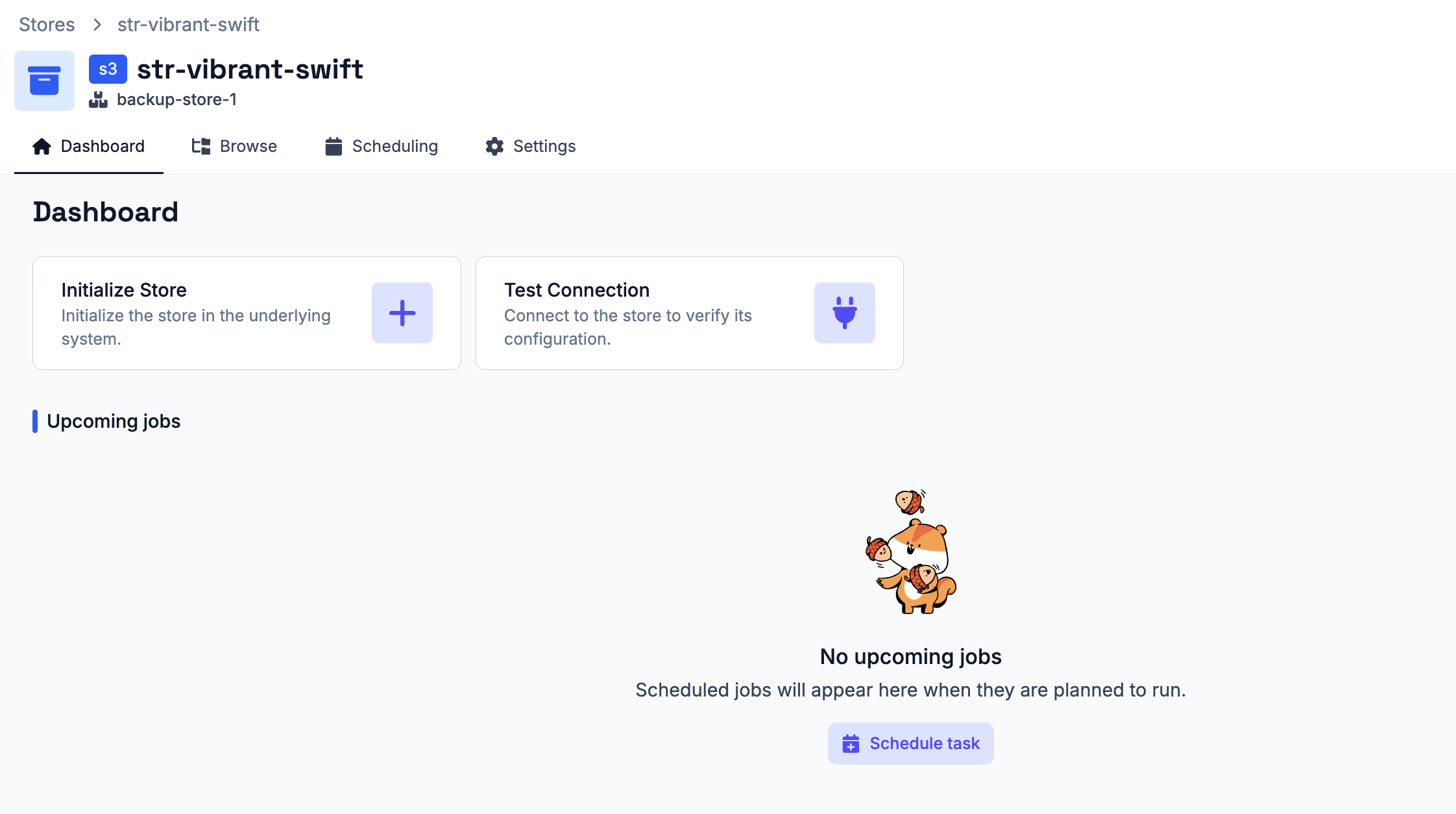
If the selected store has already been initialized by Plakar Control Plane and contains an existing Kloset store, the connection test detects it automatically and no additional initialization is required.
If the store is in a new location, such as a new S3 bucket that has never been used by Plakar before, you must use the Initialize Store action before the store can receive backups. This prepares the store with the metadata and structure required to receive backup data.
If the connection test fails, check the connector configuration and credentials, then run the test again. Once the store has been initialized, additional actions become available from the dashboard:
- Check Store - create an integrity check task for the Kloset store
- Create Backup - create a backup task to the store
- Sync Store - create a synchronization task to another store
- Restore Data - create a restore task from the store
Browsing Snapshots
#You can view all backup snapshots stored in this store from the Browse tab.
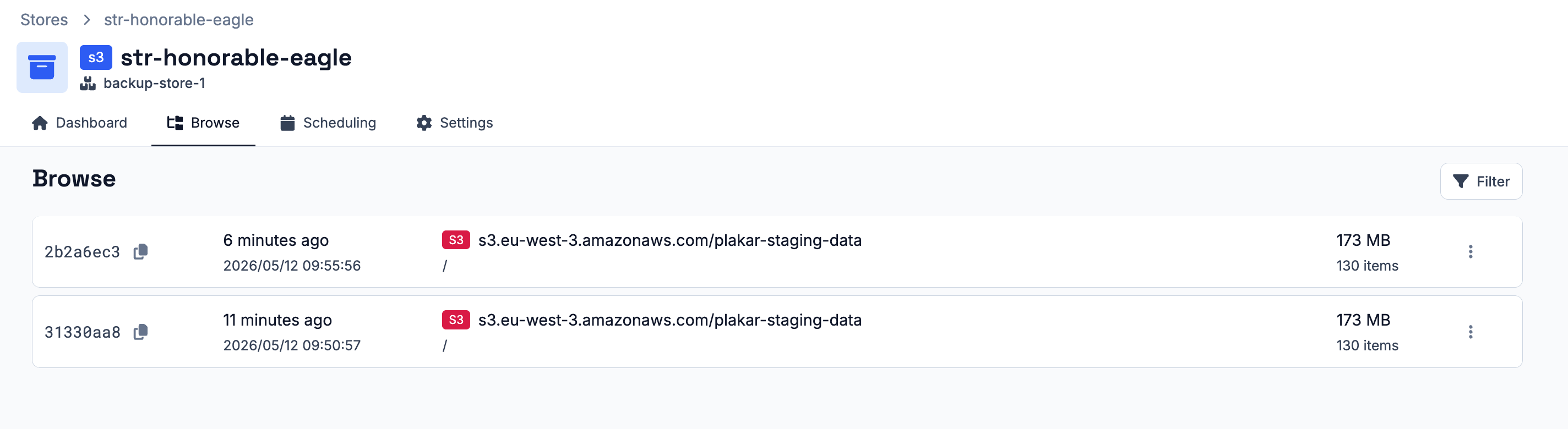
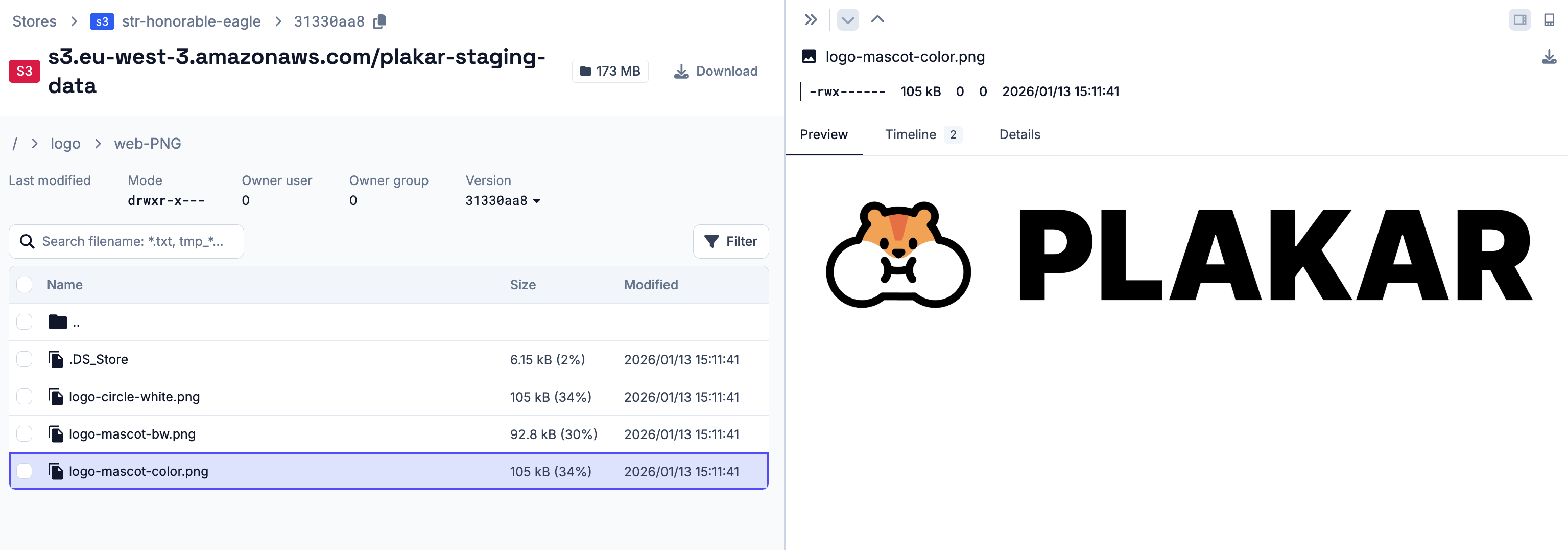
From there, you can inspect the files contained in each snapshot and download individual files without performing a full restore.
Tasks and Schedules
#Operations in Plakar Control Plane are managed by the scheduler. A task can be created as a one-off operation or attached to a schedule so that it runs repeatedly.
One-off tasks are useful when you want to run an operation immediately and do not need it to repeat. Scheduled tasks are useful when you want Plakar Control Plane to run an operation on a regular basis.
See the scheduling documentation for details on creating and managing schedules.
One-off Tasks on the Store
#Check Task
#A check task verifies the integrity of data in the store. It checks that the backup data can be read correctly and validates file MACs to make sure no corruption has occurred.
You can also add a label to the task. See the scheduling documentation for more details on using labels. A check store task can be started immediately as a one-off task, or attached to a schedule if you want the check to run repeatedly.
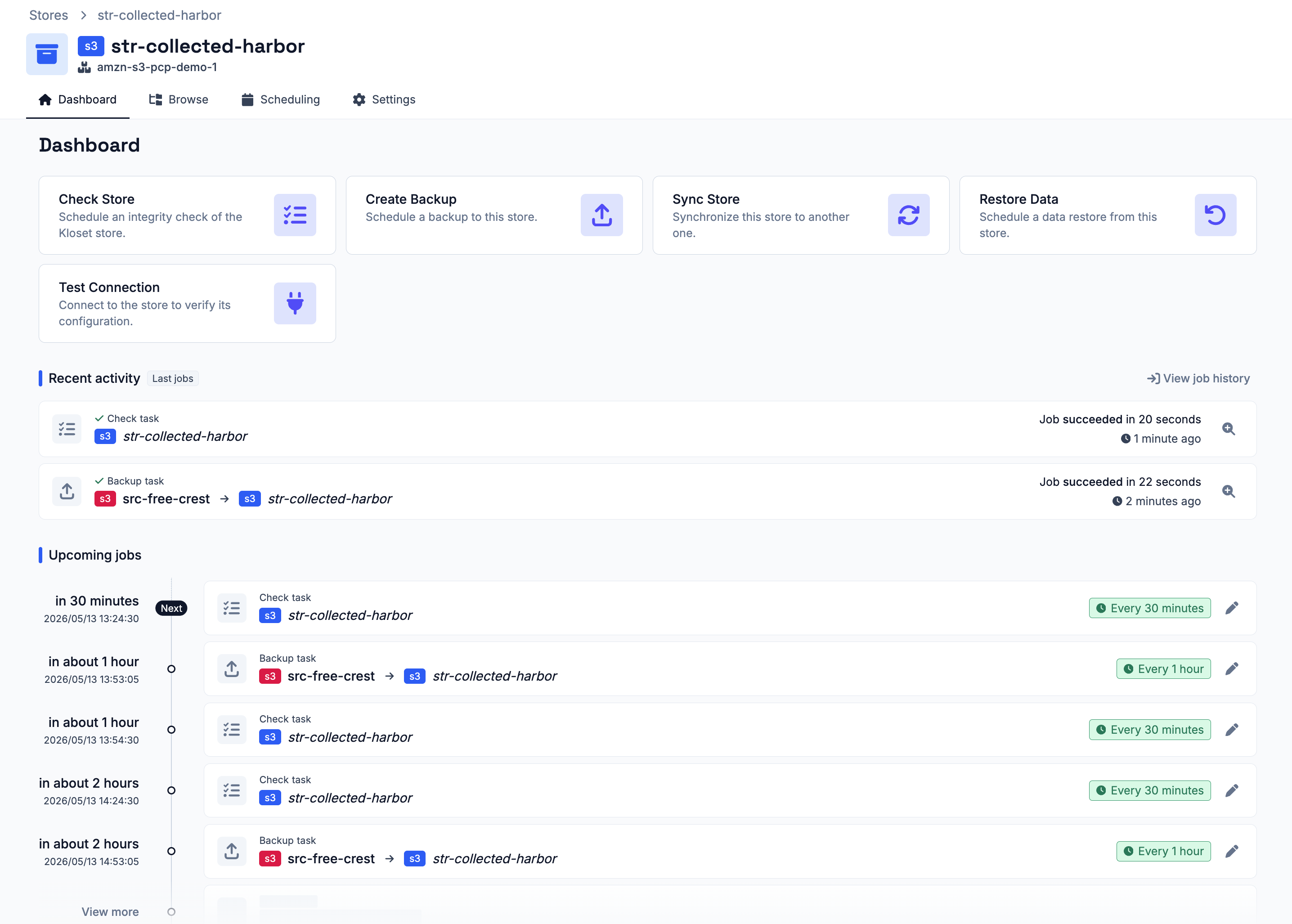
Once the task has been created, you can follow its progress from the jobs history page. This page shows the task status and progress, and also allows you to cancel a running task when needed.
Backup Task
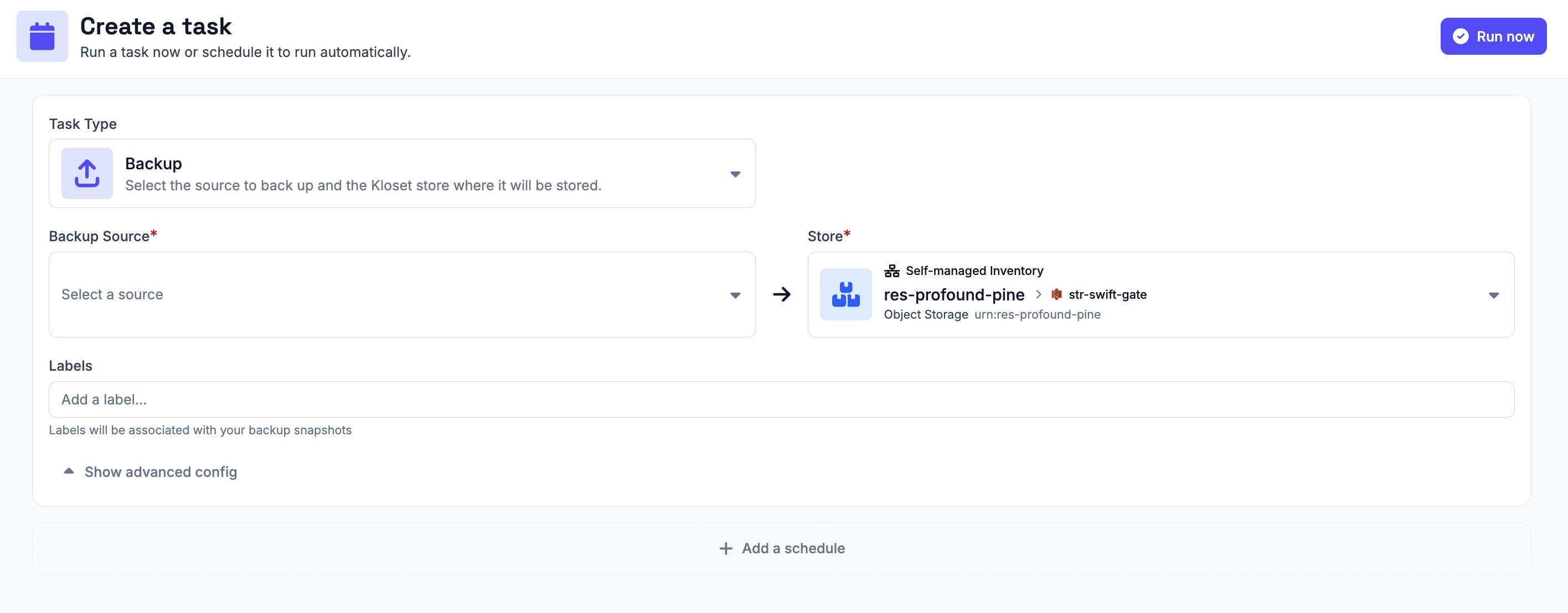
#A backup task stores backup data from a source connector into this store. When creating a backup task from the store connector, you must select the source connector that should be backed up.
You can also add a label to the task. See the scheduling documentation for more details on using labels. A backup task can be started immediately as a one-off task, or attached to a schedule if you want the backup to run repeatedly.
Once the task has been created, you can follow its progress from the jobs history page. This page shows the task status and progress, and also allows you to cancel a running task when needed.
Sync Store Task
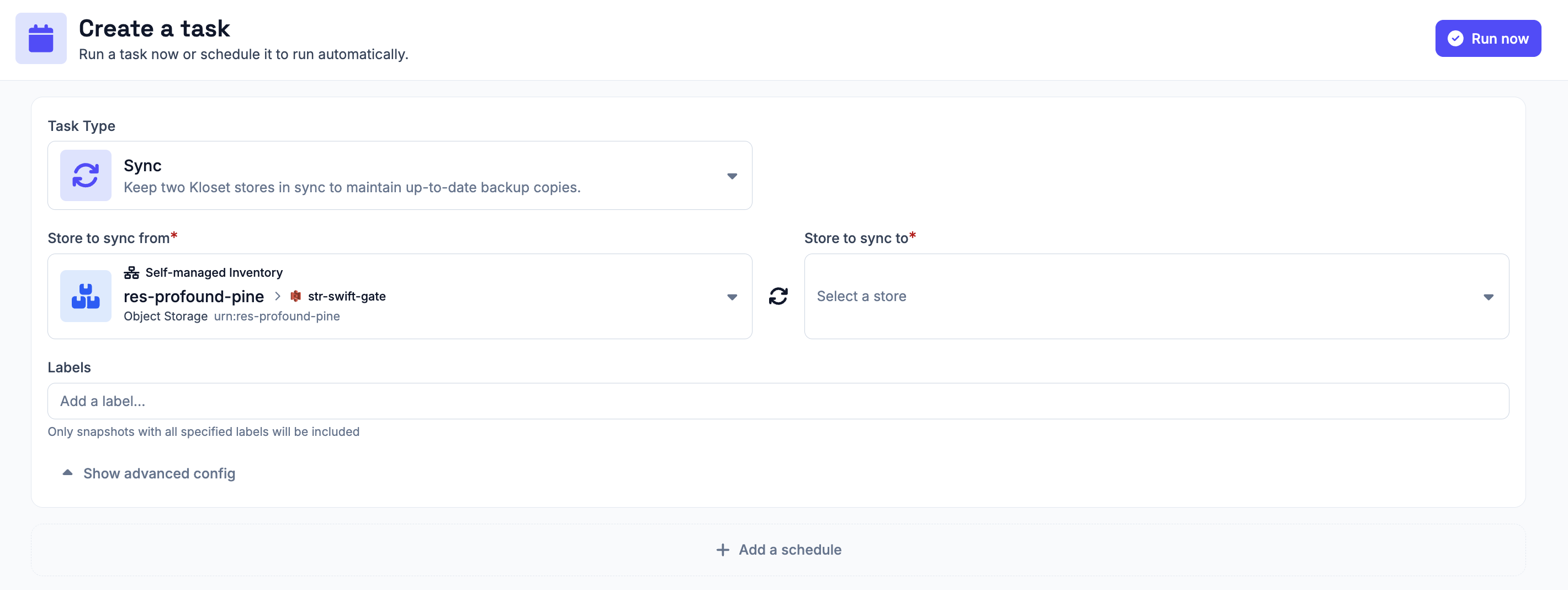
#A sync store task copies backup data from this store to another store connector. When creating a sync task, you must select the other store connector that this store should be synchronized to.
You can also add a label to the task. See the scheduling documentation for more details on using labels. A sync store task can be started immediately as a one-off task, or attached to a schedule if you want the sync to run repeatedly.
Once the task has been created, you can follow its progress from the jobs history page. This page shows the task status and progress, and also allows you to cancel a running task when needed.
Restore Task
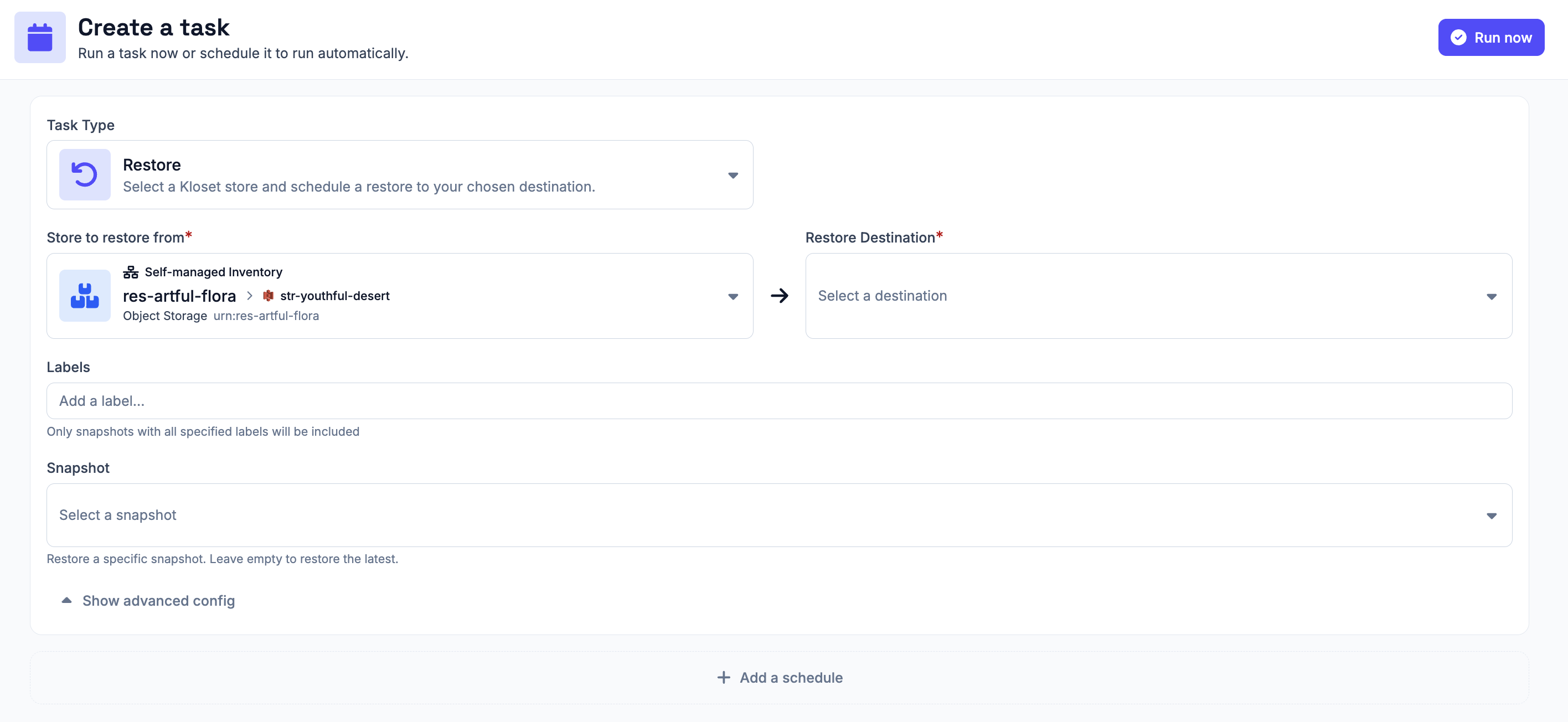
#A restore task restores data from this store to a destination connector. When creating a restore task, you must select the destination connector where the data should be restored. You can also select the snapshot to restore. If no snapshot is selected, Plakar Control Plane will restore the latest available snapshot.
You can also add a label to the task. See the scheduling documentation for more details on using labels. A restore task can be started immediately as a one-off task, or attached to a schedule if you want the restore to run repeatedly.
Once the task has been created, you can follow its progress from the jobs history page. This page shows the task status and progress, and also allows you to cancel a running task when needed.