
Why protecting Azure Blob Storage data matters
Azure Blob Storage is often used as a backup destination, but infrastructure durability is not the same as data protection. While Azure provides strong redundancy at the storage level, your data remains logically vulnerable to:
- Accidental Deletion: Misconfigured lifecycle policies or bulk delete operations can permanently remove critical blobs in seconds. Azure does not provide a safety net for logical deletions unless soft delete is explicitly enabled and configured correctly.
- Silent Corruption: Standard object storage lacks built-in integrity validation across your entire dataset. Data can be overwritten or corrupted without any automatic detection.
- Versioning Gaps: Blob versioning is optional and easy to misconfigure. Even when enabled, it does not protect against lifecycle policy deletions or deliberate version purging.
- Replication Risks: Azure replication spreads corruption, accidental deletions, and malicious changes just as quickly as legitimate data.
For production data, compliance records, and cloud-native assets, Azure Blob Storage needs an independent safety net beyond containers and replication.
What happens when Azure credentials are compromised
Access to Azure Blob Storage is controlled by storage account keys, connection strings, and RBAC roles. These credentials are frequently embedded in application configuration, CI/CD pipelines, or shared across services, creating significant exposure.
If credentials are leaked or permissions are misconfigured:
- Total Loss: An attacker with a valid storage account key has full access to every container in the account. Automated scripts can delete or overwrite entire containers in seconds.
- Ransomware Encryption: Malicious actors can overwrite all blobs with encrypted content, making your data inaccessible without paying a ransom.
- Damage Propagation: Replication and sync jobs immediately propagate malicious changes across regions, amplifying the impact.
- No Recovery Path: Without an independent backup, there is no way to undo deletions or modifications in standard Azure Blob Storage.
Plakar mitigates these risks by creating immutable snapshots stored outside the live Azure namespace. With end-to-end encryption and support for offline or air-gapped retention, your backups remain secure even if your Azure credentials are compromised.
How Plakar secures your Azure Blob Storage workflows
Plakar integrates with Azure Blob Storage as a flexible bridge, enabling secure data movement in multiple directions:
- Source Connector: Take snapshots of one or more Azure Blob containers. Plakar encrypts and deduplicates the content before saving it to a trusted Kloset Store, creating an independent backup layer outside Azure.
- Storage Connector: Use Azure Blob Storage as your Kloset backend. Store encrypted, deduplicated, and versioned snapshots from any source — databases, file systems, containers, or other cloud services.
- Destination Connector: Restore verified snapshots back into Azure Blob Storage, whether to the original container, a different storage account, or an entirely separate region.
This enables multiple backup strategies:
- Pull data from production containers into isolated backup storage
- Push encrypted snapshots to Azure as a low-cost, durable backend
- Separate backup credentials from production access for improved security
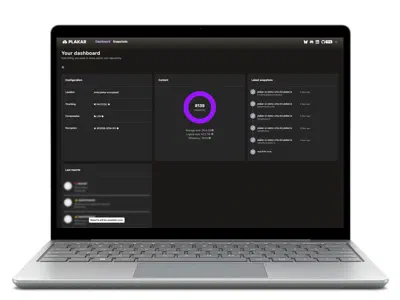
Plakar also allows direct inspection of backups. You can browse, search, or verify the integrity of your Azure Blob data via the CLI or UI without performing a full restore first.